DESKTOP
Profiles, tool forms, execution views, and results.

A desktop research system connecting tool configuration, controlled execution, packet evidence, and reviewable reporting.
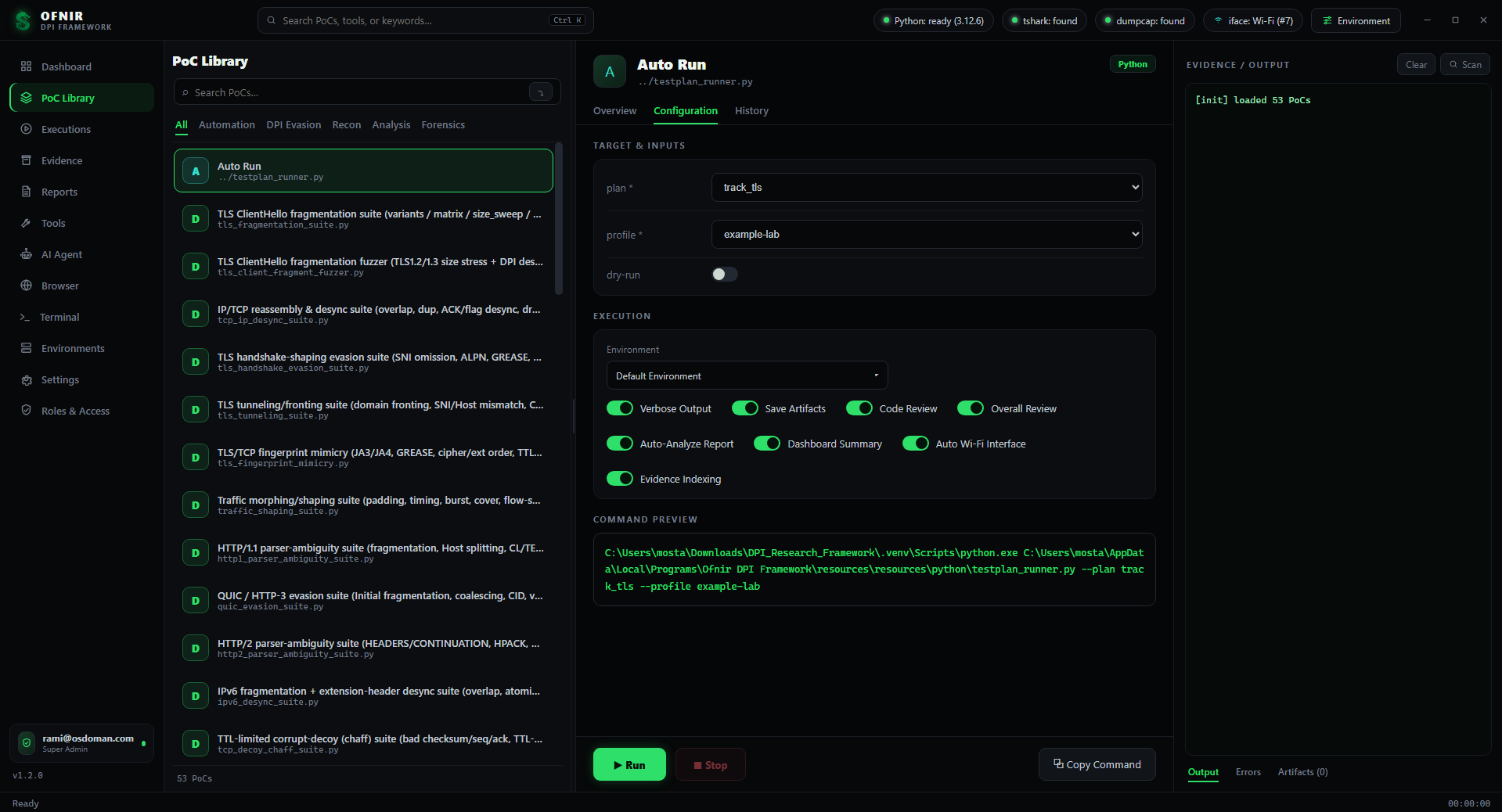
Registry-driven inputs, scope, execution options, and command previews in the research workspace.
These captures show an earlier product state; current tool inventory comes from the 79-entry registry.
A sandboxed Electron interface talks through a controlled Node-to-Python bridge. Tool definitions connect configuration fields to executable command lines.
Profiles, tool forms, execution views, and results.
Role gates, process management, and streamed output.
Argparse CLIs, shared helpers, and repeatable plans.
Captures, structured summaries, manifests, and reports.
Tool runs, profile selection, WSL, Geneva, SSH, and audit inspection use the framework’s terminal service. The command help below is exported from the current source.
help / ?List commands available for this role.
Example: helpclearClear the current terminal.
Example: clearhistoryPrint commands entered in this tab.
Example: historystatusShow role, profile, and capture interface.
Example: statusdryrun on|offToggle session dry-run simulation mode.
Example: dryrun onwhoamiShow active role.
Example: whoamils [dir]List sandboxed files.
Example: ls runscat <file>Print a sandboxed text file.
Example: cat runs/latest/report.mdtail [-f] <file>Show the end of a sandboxed text file.
Example: tail runs/latest/run.loggrep <pattern> <file>Search one sandboxed text file.
Example: grep reset runs/latest/run.logreport [run]Show a run report summary.
Example: reportevidence [run]Show run evidence files.
Example: evidencetools / tracksList registered PoCs or workflow tracks.
Example: toolsai <question>Ask the AI assistant in read-only mode.
Example: ai summarize this runaudit [N]Show the last N audit records and verify the hash chain.
Example: audit 20run <tool> [--param value]Run a registered PoC through the existing runner and scope gates.
Example: run dpi_pcap_forensics --pcap sample.pcaptrack <name>Run a workflow track through testplan_runner.
Example: track track_tlsprofile <name> / envView or select the active profile.
Example: profile examplessh <user@host> [-p port] [-i keyfile]Open SSH to an operator-authorized device. The framework scope note still applies.
Example: ssh admin@192.0.2.10 -p 22ssh-dpi <user@host> [--known-hosts accept-new|strict|manual]Open the DPI-device SSH setup/connect profile.
Example: ssh-dpi admin@192.0.2.10 --known-hosts accept-newwslOpen the default WSL shell in the integrated terminal.
Example: wslwsl-shell <distro>Open a selected WSL distro as the default user.
Example: wsl-shell Ubuntuwsl-root <distro>Open a selected WSL distro as root.
Example: wsl-root Ubuntuwsl-setup <distro>Run root-user package setup for a selected WSL distro after confirmation.
Example: wsl-setup Ubuntuwsl-setcap <distro>Grant tcpdump capture capabilities in a selected WSL distro.
Example: wsl-setcap Ubuntuwsl-selftest <distro>Run a lightweight WSL route/tcpdump/ping self-test.
Example: wsl-selftest Ubuntugeneva-shell <distro>Open a Geneva WSL shell with ~/geneva/venv activated.
Example: geneva-shell Ubuntugeneva-verify <distro>Run Geneva Python, Scapy, libc, and engine.py --help checks.
Example: geneva-verify Ubuntugeneva-help <distro>Run Geneva engine.py --help in the verified venv.
Example: geneva-help Ubuntugeneva-pip-freeze <distro>Print the Geneva venv package set.
Example: geneva-pip-freeze Ubuntugeneva-repair-scapy <distro>Apply the idempotent Scapy BPF/libc patch after confirmation.
Example: geneva-repair-scapy Ubuntugeneva-git-status <distro>Show git status for ~/geneva.
Example: geneva-git-status Ubuntuassistant draft <request>Draft code or commands for operator review; the framework is never modified automatically.
Example: assistant draft config parserdeploy <local-file> [remote-path]Transfer a reviewed local file to the active SSH device. Alias: hotfix.
Example: deploy runs/drafts/fix.py /tmp/fix.py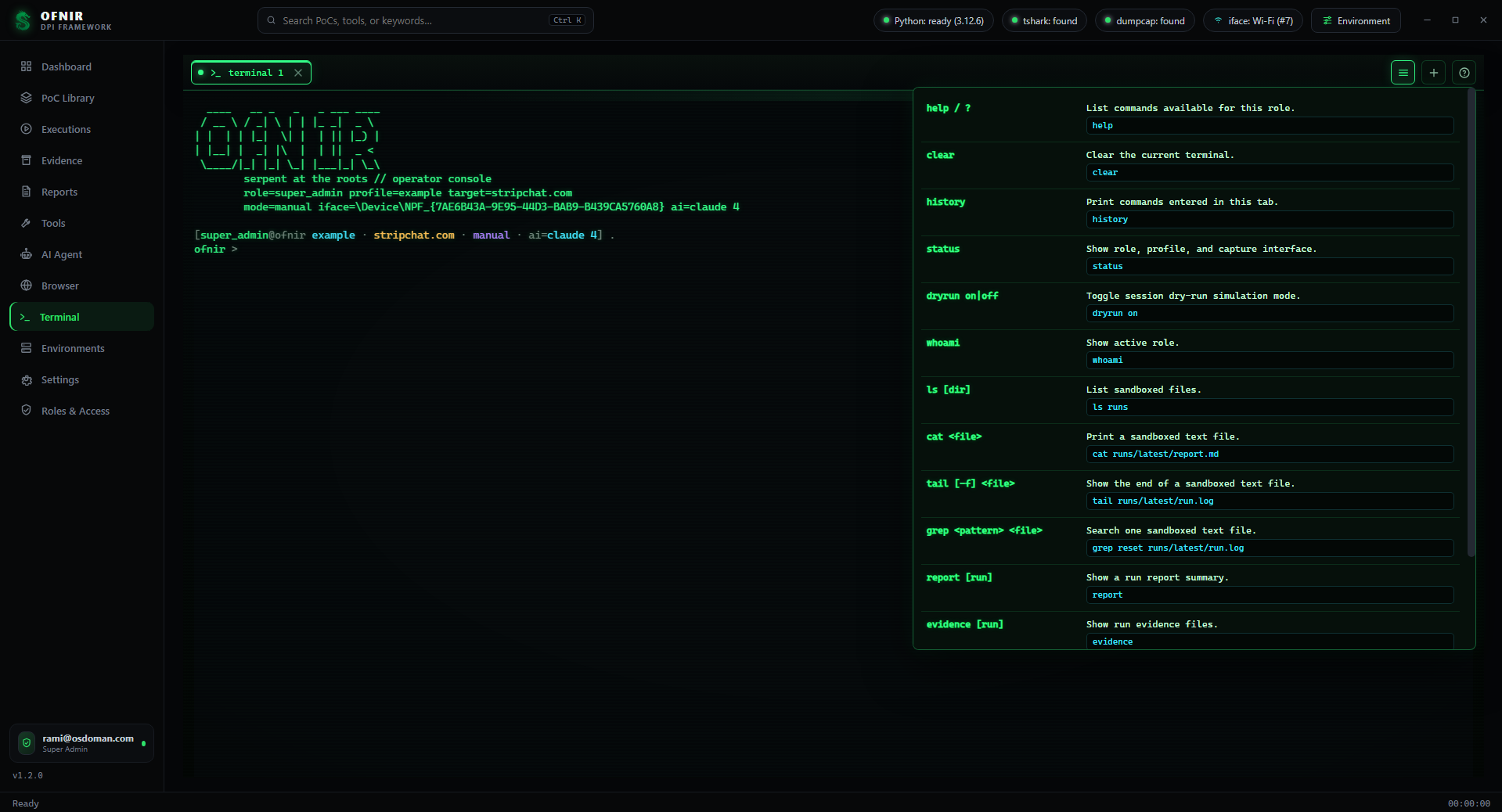
Actual terminal screenshot. No commands are executed by this website.
Tell us about your research environment, target devices, and acceptance criteria. Start with a focused conversation.
Discuss an evaluationExplore pricing